From first document to
inspection ready
ProPolicyForge manages the entire compliance lifecycle — Forge, Organise, Review, Govern, Evidence and Share. Here's exactly how each stage works.
The FORGES compliance lifecycle
From a blank page to inspection-ready — and kept there. The six FORGES stages shown end-to-end, plus the Compliance Manager obligations layer, illustrated with ProPolicyForge's own live compliance data. Press play, or step through each stage.
Forge
Andy selects his sector — Software & Health Technology. ProPolicyForge pulls live UK legislation (NHS DCB0129, UK GDPR, DSPT, DUAA 2025, PECR) and forges a complete set of organisation-specific compliance documents. Not static templates — each one is generated fresh against today's law and the right regulator.
Choose your sector and document
Start by selecting your regulated sector — healthcare, care homes, construction, hospitality, office, retail, education, dentistry, software & health technology, or allied health. Then choose which compliance document you need.
ProPolicyForge covers 235+ document types across 10 sectors. If you're unsure which documents you need, start with a policy bundle — a curated set of the most important documents for your sector, generated together.
Step by step
Tip: The more detail you provide in Step 3, the more personalised your document will be. Named individuals are referenced throughout — your DSL, practice manager, H&S lead — making documents inspection-ready from the start.

Review your document and download
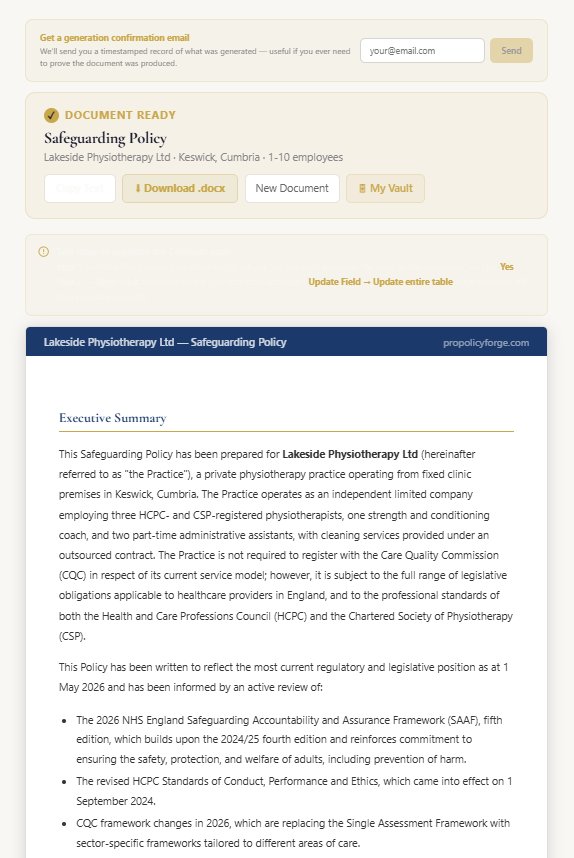
ProPolicyForge searches live UK legislation before generating your document — this takes 3–5 minutes. Once complete, you'll see a full preview of your document on screen.
The generated document includes your organisation name, named personnel, your sector-specific context and references to current UK legislation. Review it in the preview, then download as a clean Word (.docx) file.
Step by step
Tip: AI-generated documents are first drafts — always review before implementing. The download includes a cover page with your organisation details, a table of contents, and a document approval table ready for sign-off.
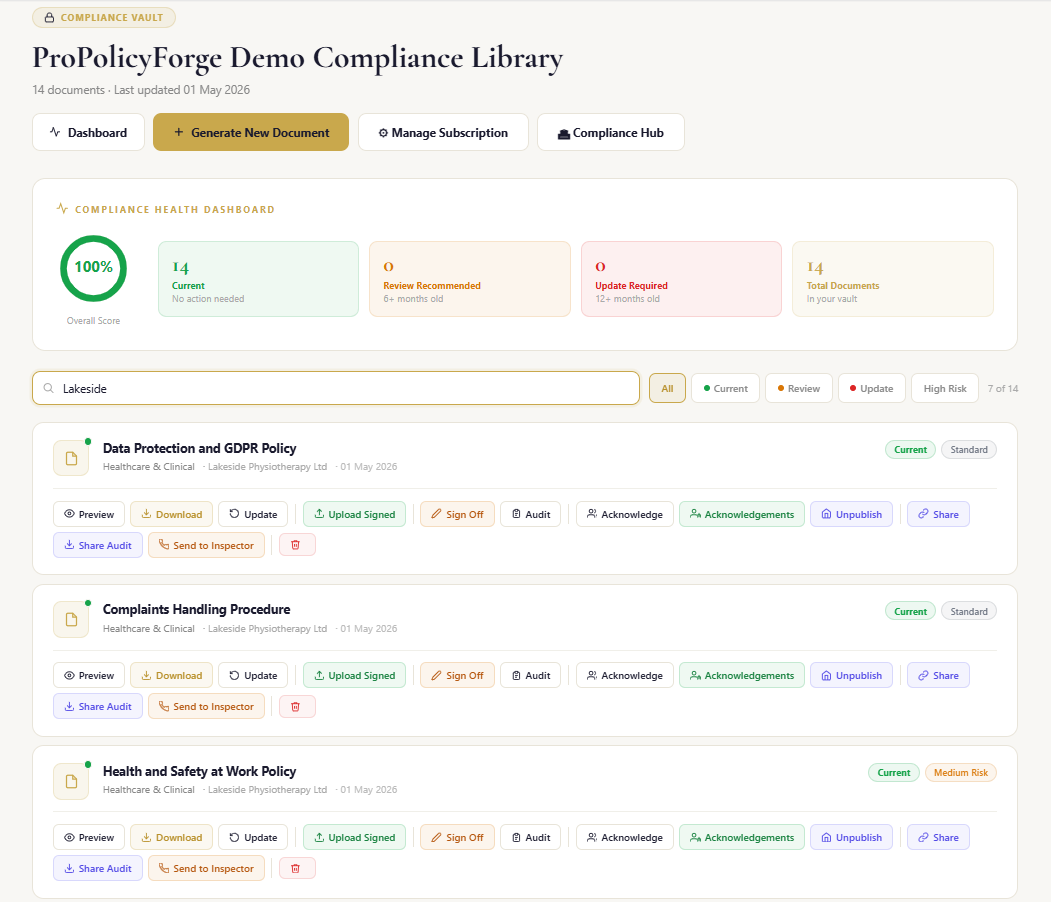
Your compliance vault — always current
Every document you generate is saved automatically to your private compliance vault. No manual filing, no shared drives, no version confusion.
The vault tracks the compliance status of every document — green (current), amber (review recommended) or red (update required) — based on document age and risk tier. High-risk documents like safeguarding policies are checked every 90 days.
Step by step
Tip: High-risk documents (safeguarding, infection control, HACCP) are checked against live UK legislation every 7 days. Medium-risk every 30 days. Standard policies every 90 days. When a legislative change is found, you receive an email alert with a direct link to review and update.
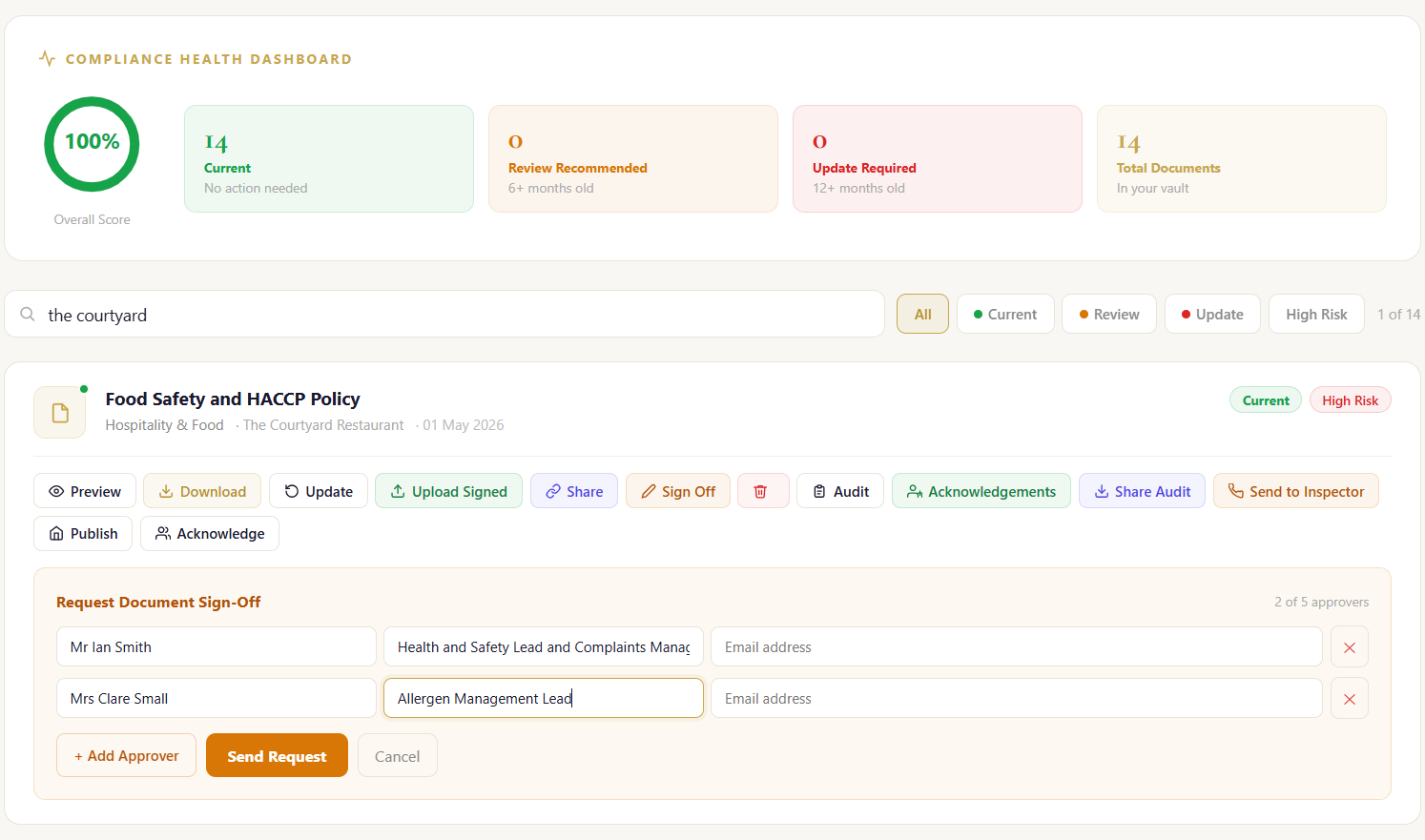
Get your documents approved and signed
A compliance document that hasn't been approved is a draft. ProPolicyForge supports two approval routes — electronic sign-off by email, or upload of a physically signed version.
For regulated services like healthcare, care homes and dentistry, document sign-off is not optional — inspectors will ask for evidence of approval. ProPolicyForge makes this effortless regardless of how many signatories your governance structure requires.
Step by step
Tip: Prefer wet signatures? Download the document, sign physically, scan and re-upload using the Upload Signed button. The signed version replaces the draft in your vault and is stored securely.
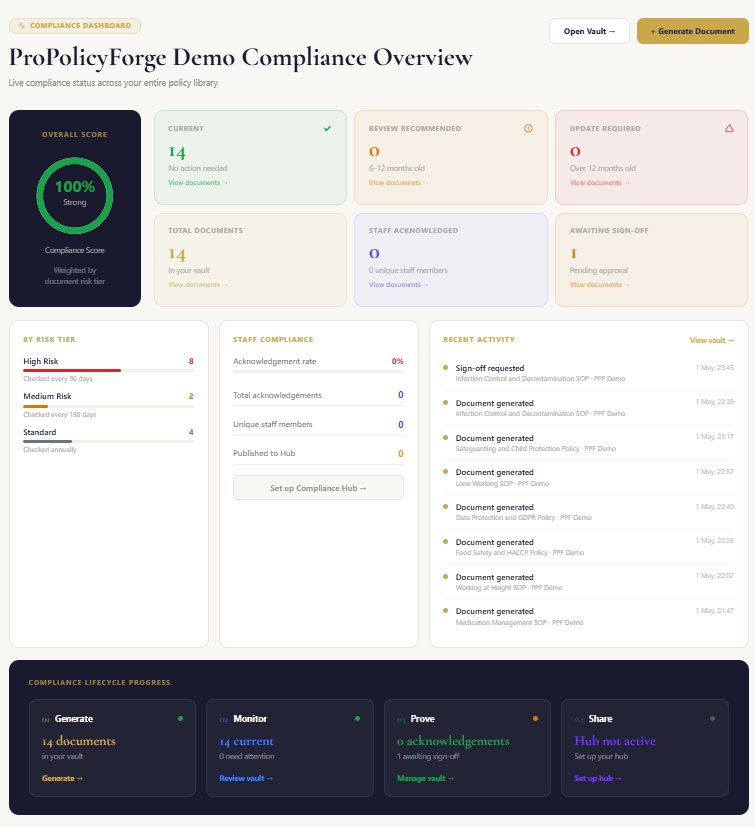
Build your evidence — audit trail and staff acknowledgements
Generating and signing a document is only part of what inspectors look for. They also want evidence that staff have read and understood policies. ProPolicyForge provides both.
Every action on every document is automatically logged — who generated it, who downloaded it, who signed it off, which staff acknowledged it and when. This tamper-proof audit trail is your compliance evidence.
Step by step
Tip: The Compliance Hub is the most efficient way to manage staff acknowledgements. Publish a policy once, share the hub URL and PIN, and staff can acknowledge at any time — from any device, no account needed.
Share with inspectors — in seconds
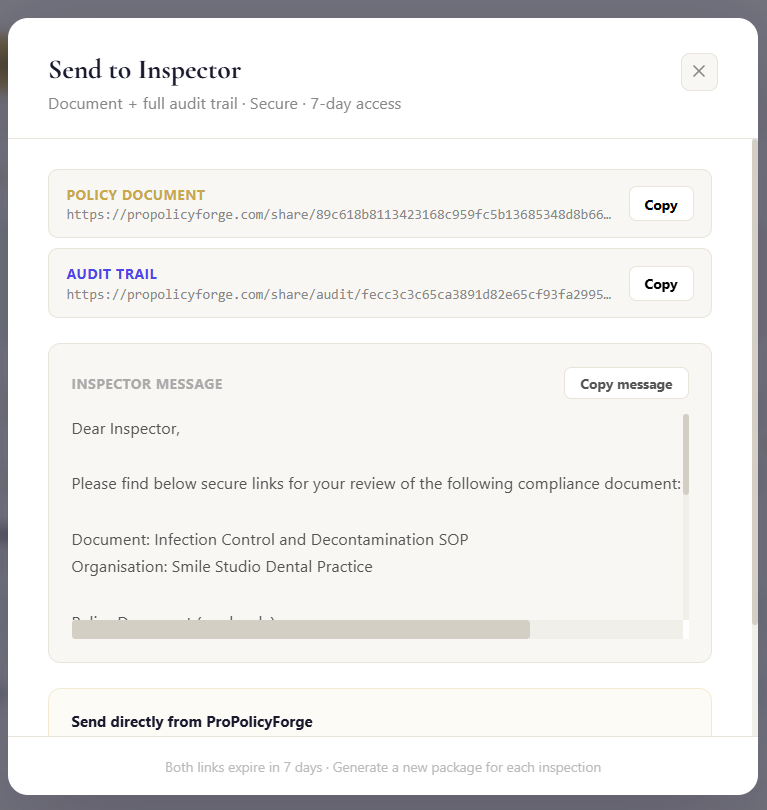
When an inspector asks to see a policy, ProPolicyForge generates a complete inspection package — a secure read-only document link and a full audit trail link — ready to email directly from the platform.
No scrambling for files. No emailing Word documents. No explaining why your policy is three years old. One tap from your vault generates everything an inspector needs — formatted, professional, evidenced.
Step by step
Tip: Share links work on any device — inspectors don't need a ProPolicyForge account to view them. The audit trail link shows every event in the document's lifecycle — generation, downloads, approvals, staff acknowledgements.
Not sure where to begin?
Choose the path that best matches where you are right now.
I need one specific document
Go straight to the generator. Select your sector, choose your document, answer the questions — your document is ready in 5 minutes.
Generate now →I need a full compliance suite
Choose a policy bundle for your sector. Starter (7 documents) or Professional (14 documents) — generated together, consistent throughout.
Browse bundles →I want to explore what's available
Browse all 235+ documents across 10 sectors, or visit your sector page to see what's relevant to your regulated service.
Browse documents →I'm preparing for an inspection
Start with your vault — check your RAG status, then use Send to Inspector to generate your inspection package.
View pricing →Common questions
How long does it take to generate a document?
3–5 minutes for a single document. ProPolicyForge searches live UK legislation before generating — this takes a little longer than a static template but ensures your document reflects current regulatory requirements. A full policy bundle (7–14 documents) takes 30–60 minutes as each document is generated sequentially.
Are the documents legally compliant?
Documents are generated against current UK legislation and regulatory frameworks — and to the right regulator for your nation, whether that's CQC, HSE, Ofsted and FSA in England or the devolved equivalents (HIS, the Care Inspectorate, HIW/CIW, RQIA, Food Standards Scotland, Education Scotland, Estyn, ETI and HSENI) in Scotland, Wales and Northern Ireland. They are not legal advice and must be reviewed by a qualified professional before implementation. ProPolicyForge provides professionally structured compliance documents as a starting point — the review, approval and implementation are your responsibility.
Can I edit the documents after downloading?
Yes — every document downloads as a Word (.docx) file, which you can edit in Word, Google Docs or any compatible software. You can then re-upload the signed, edited version to your vault.
What happens if regulations change after I generate a document?
Your vault tracks document age and RAG-rates every document. When a document goes amber (6–12 months) or red (12+ months), you'll receive an email reminder. You can then use the Review & Update feature — ProPolicyForge searches for changes since your document was generated and produces an updated version.
Does ProPolicyForge store my documents?
Yes — with a paid plan, every generated document is saved automatically to your private compliance vault, hosted in Vercel's EU infrastructure. Documents are stored securely and accessible only to you. Free plan documents are available for download during your session but are not saved to a vault.
Can multiple people in my organisation access the vault?
Yes — multi-user vault access with role-based permissions is available on the Compliance Manager plan. The Compliance Hub also provides a way for staff to read and acknowledge policies without needing a ProPolicyForge account.
What sectors does ProPolicyForge cover?
Healthcare & Clinical, Care Homes & Social Care, Construction & Trades, Hospitality & Food, Office & Corporate, Retail & Logistics, Education & Childcare, Dentistry & Dental Care, and Software & Health Technology. Each sector has its own document library, sector-specific questions and regulatory framework references.